But as long as people have some brain, if the market gets a majority of “smart” devices to the point there’s enough people looking for alternative, some people are likely to try and fill the gap. It might become a new niche market, but it’s one place where supply and demand will work to our advantage.
Yep. Just don’t connect it. Or connect it once a year to get some firmware updates if one wants (or better yet use a USB stick).
I have a good Samsung TV, but when I had it connected to the internet the UI would be painfully slow every time I needed to switch inputs (I have most things running through my receiver, but my PC was straight into the TV). Turning off all internet functions vastly improved my experience with this TV.
I want to be able to access YouTube, Twitch, etc. from my TV. I already self host as much as I can. But I have not find a good solution for those services.
You can cast from your phone to a dedicated device. Going from easiest to hardest in terms of setup:
chromecast
nvidia shield
custom PC
You’d use your phone (or tablet or laptop) to load the app/website (twitch, youtube, plex, whatever) then cast to the device, which would be connected to your TV. The chromecast is the most likely to have shitty features and forced upgrades while the custom PC will leave everything up to you. The end result is no outsourcing control of your primary display (TV) and you can leave it permanently offline.
I’m already doing a lot of that but… Those are workarounds for an item I own. My point is: I would like to use my smart TV as a smart TV and not have any o fight the manufacturer. I guess I’ll have to give plasma big screen a go.
If you’re in the Apple ecosystem, I’d recommend an Apple TV or an old MacBook just for the Airplay. I’ve tried Roku, TCL built-in Airplay and none of them are stable and constantly disconnect compared to the one’s Apple has. I wish Windows and Android had an equivalent to AirPlay cause the existing solutions like miracast are so trash.


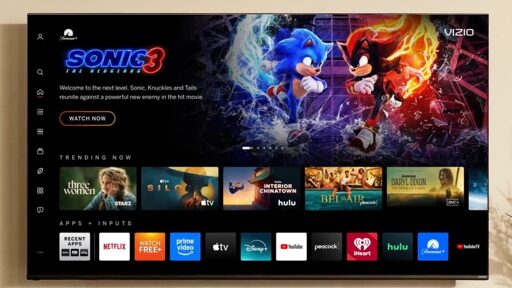
Don’t plug in a Ethernet cord, and don’t connect it to Wifi.
Now you have a fully functional TV screen that wont be artificially bricked with OS updates.
Get a dedicated “streaming device” like a Nvidia Sheild, Android TV, Apple TV, or Roku and you are good to go.
Until the next one refuses to even pass through HDMI if it’s not connected.
Just don’t buy shitty devices.
And what happens when the shitty devices are literally the only ones available?
In that case, the answer has to be shop for used or do without.
Well, too bad. Do something else.
But as long as people have some brain, if the market gets a majority of “smart” devices to the point there’s enough people looking for alternative, some people are likely to try and fill the gap. It might become a new niche market, but it’s one place where supply and demand will work to our advantage.
Don’t buy the product. Don’t give them the sale.
Televisions aren’t mandatory, you can do without.
My dedicated media PC is the new Atari VCS. It works awesome and I can boot into Atari os for some light gaming too. Or emulate anything up to ps2.
Disabled all the smart TV bs and told the SO we dont use that anymore, 0 complaints so far. They’re also learning some Linux because of it!
Yep. Just don’t connect it. Or connect it once a year to get some firmware updates if one wants (or better yet use a USB stick).
I have a good Samsung TV, but when I had it connected to the internet the UI would be painfully slow every time I needed to switch inputs (I have most things running through my receiver, but my PC was straight into the TV). Turning off all internet functions vastly improved my experience with this TV.
Yeah except fuck all those devices. I want a degoogled smart TV.
You give up control this way. Dedicated devices are superior.
Like which one
mini pc with jellyfin/plex or a debrid service of your choice
I want to be able to access YouTube, Twitch, etc. from my TV. I already self host as much as I can. But I have not find a good solution for those services.
You can cast from your phone to a dedicated device. Going from easiest to hardest in terms of setup:
You’d use your phone (or tablet or laptop) to load the app/website (twitch, youtube, plex, whatever) then cast to the device, which would be connected to your TV. The chromecast is the most likely to have shitty features and forced upgrades while the custom PC will leave everything up to you. The end result is no outsourcing control of your primary display (TV) and you can leave it permanently offline.
I’m already doing a lot of that but… Those are workarounds for an item I own. My point is: I would like to use my smart TV as a smart TV and not have any o fight the manufacturer. I guess I’ll have to give plasma big screen a go.
If you’re in the Apple ecosystem, I’d recommend an Apple TV or an old MacBook just for the Airplay. I’ve tried Roku, TCL built-in Airplay and none of them are stable and constantly disconnect compared to the one’s Apple has. I wish Windows and Android had an equivalent to AirPlay cause the existing solutions like miracast are so trash.
That looks like a dope project. Good luck!