

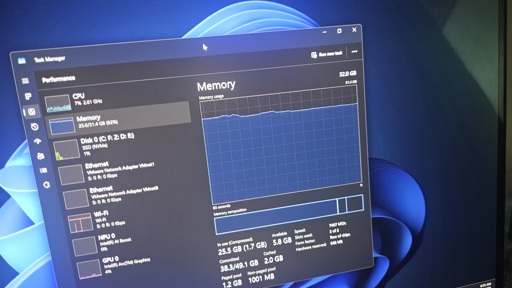
Microsoft has quietly retracted its own documentation that suggested 32GB RAM is the “no worries” upgrade for gaming, and 16GB RAM is the baseline. This support document was likely written using a large language model, and Windows Latest first spotted it before it was taken down. Microsoft also nuked a document that recommended Copilot+ PCs for gaming.
Microsoft has a “Learning Center” where it publishes guides and marketing articles to promote various Windows features, and these rank well in search results. It’s mostly used by Microsoft to push a narrative and also make it easier for users to make a choice when they search the web.
In the first week of April, Microsoft quietly published a support document titled “Gaming features: What the best Windows PC gaming systems have in common.”
At first, the document might appear to be about Windows 11’s gaming features, but it goes a step further and builds a narrative around the memory requirement.
In the support document, Microsoft clearly notes that:
“For most players, 16GB RAM is a practical starting point. Moving to 32GB RAM helps if you run Discord, browsers, or streaming tools alongside your games. That extra memory also gives newer titles more breathing room as memory demands continue to rise.” – Microsoft.
“16GB RAM is the baseline; 32GB is the ‘no worries’ upgrade,” the company concluded in the support document, which was first spotted by Windows Latest.
This was later picked up by other outlets and the gaming community, and it didn’t go well with gamers.
I mean. I agree. I can’t imagine a modern system with less than 16gb and a competent system for any thing beyond a basic user needs 32, at a minimum. I’m on 128.
128 here too, but my machine is for gaming and serving my family with arr content. 70TB of booty.
128 for a server seems crazy unless its like, an actual server. I’m homelabbing an old laptop with 32gb and thats overkill. And my NAS has 8gb I think?
What are you guys doing with all this?
My two media servers are Orange Pi Zeros with 512 MB, and I could get away with 256 MB, I just bought what was available locally for cheap. My main 24/7 server is Raspberry Pi 2 with 1 GB of RAM. Same story here. I have some beefier machines (but not like that), I power on when I need them. My main desktop machine has 32 GB, but I use like less than 8, I see no difference after upgrading from 16. Did that simply to tick the task as done. I mean, the more the merrier, but 128 sounds insane, especially for a household use. All my ARR stack (before I removed it) was working on a Raspberry Pi. Simple serving machine (with no transcoding, but I’m still unsure why would people even use it in the first place), I tested with an IDE HDD (read: very slow reads and writes) and it was quite good for serving huge 4K Bluray Remuxes. I haven’t tested the system with a huge number of users, but if I were to help an extended family with their media needs, I think I’d go with building a set of underpowered servers for everyone. We have two cheap laptop disks, 500 and 750 GBs each, and that’s plenty to have various movies and series being there for us to watch. Even if I wanted to have it in terabytes, like a huge collection, do you really need so much ram to support this much storage? It’s a WORM scenario, isn’t it?
Apart from that, yeah, looks cool. It’s curious to learn what it is to work off a machine where you can serve everything from memory.
If they’re running a media stack with that much storage it qualifies as a server for sure. If they’re running ZFS for storage, the recommended RAM for that is like 1GB/TB for caching so that’ll eat a bunch of their RAM too.
Argggh! Sweet
My laptop is for super basic needs (i.e. not modern gaming), and I struggle to find ways to run out of its 8GB of RAM without outright fabricating the conditions to make it happen. Even when I play something like Surroundead, I’m short on graphical horsepower and still have RAM to spare.
One major detail is that I’m not using Windows.
My work machine, however, is on Win11 and only has 16 GB. And unless I turn off OneDrive, Teams and Outlook from autostarting, it will use nearly 12 GB to sit idle. It’s pretty useless.
I mean I’m on ubuntu with my current machine, not running anything particularly demanding and using 37 gb of ram.
Just saying, ymmv.
Used used, or just used? File caches and memory-mapped files are technically “used” but are basically free since they can be evicted if that memory is needed elsewhere.
🐖
Wow
What are you even running that used so much memories?
Just fire fox and open office at the moment… Just a few tabs…
Damn, pretty sure there’s something wrong with it. I’m on cachyos and have 16gb of ram, it used around 4gb when idling with Steam running in the background, while using waterfox with 3 youtube tab running video and 4 other tab(yt, ytmusic, protondb, steamdb), the usage goes up to 7gb but slowly go down.
Maybe docker are the one using the memory? Or maybe the idling baseline is always around 25%/30% of total ram available idk.
Yeah its basically all firefox.
@TropicalDingdong @psx_crab unused memory is wasted memory, if you didnt have so much memory the programs would free memory
I’m on Kubuntu 24.04 and with 2 FF browsers(1 with 4 tabs the other with ~12), steam, haruna, and discord, I use about 8GB. 10 with OBS and SteamVR. I did go a little overkill with 64GB ram
I run 200+ tabs in Firefox and have no problem with gaming. Not super high end gaming, but I could play Baldur’s Gate on reasonable settings, and regularly play the Age of Empires Definitive Editions/Age of Mythology Retold/Age of Empires 4. 16 GB RAM works mostly fine for me, though I do often feel a little constrained with aoe4 specifically.
32 would definitely be my recommended minimum for any power user like myself, but for the average user, 16 GB is enough even without getting into merely “basic user” levels.
I’m still on Windows 10 though, if that makes a difference. Microsoft has decided my processor is one generation too old to be allowed to “upgrade”.
Yeah, we get it, you are rich. Go brag someplace else fat cat.
It wasn’t that expensive a couple years ago. Unmecessary to go to 128, but not that expensive.
I got 256GB of DDR4 last year for about the price of 32GB of DDR5 now.
Maybe he bought that RAM before the crisis. I got a 64GB netbook last year, shortly before it became unobtainium.