For those people consumerism is the hobby. They don’t get anything by buying new computer every 2 years, other than the act of buying itself. For wast majority of gamers the cycle is closer to 8-10 years. Personally, I’m playing on a laptop that I bought in 2020 and it runs everything I want it to run no problem, and I’m planning to change it only when it breaks irreparably.
Personally, I’m playing on a laptop that I bought in 2020 and it runs everything I want it to run no problem, and I’m planning to change it only when it breaks irreparably.
Look up a YouTube video on how to disassemble it and clean out your fans and radiators. Then replace your CPU/GPU die thermal paste along with thermal putty and you can greatly extend your laptop’s lifespan. I also have a gaming laptop from 2020 and doing this dropped average temps significantly (somewhere around 10c), and on my device the teardown was pretty simple. I used Honeywell PTM 7950 on the CPU/GPU dies and and upsiren utp-x ultra putty for my VRAM and VRMs. You will need 91% iso alcohol and some paper towels for cleaning existing paste and ideally compressed air for blasting out stubborn areas of dust, for this I use a rechargeable air duster but canned air and air compressors work great too. The laptop went from sounding like a jet turbine to being silent 90% of the time when running a normal load. During games they come on but nowhere near the max.
One thing to keep an eye on with old laptops is the battery… if it starts to deform and swell it needs to come out. Mine is still maybe 70% as good as it was new so I’m planning on replacing it soon but it’s not too pressing.


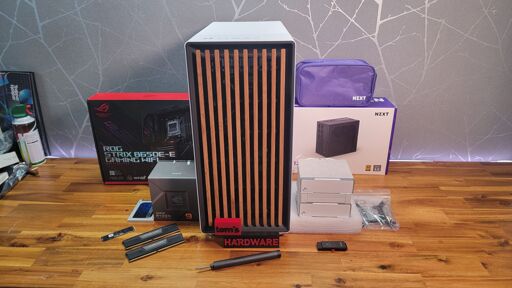
For those people consumerism is the hobby. They don’t get anything by buying new computer every 2 years, other than the act of buying itself. For wast majority of gamers the cycle is closer to 8-10 years. Personally, I’m playing on a laptop that I bought in 2020 and it runs everything I want it to run no problem, and I’m planning to change it only when it breaks irreparably.
Look up a YouTube video on how to disassemble it and clean out your fans and radiators. Then replace your CPU/GPU die thermal paste along with thermal putty and you can greatly extend your laptop’s lifespan. I also have a gaming laptop from 2020 and doing this dropped average temps significantly (somewhere around 10c), and on my device the teardown was pretty simple. I used Honeywell PTM 7950 on the CPU/GPU dies and and upsiren utp-x ultra putty for my VRAM and VRMs. You will need 91% iso alcohol and some paper towels for cleaning existing paste and ideally compressed air for blasting out stubborn areas of dust, for this I use a rechargeable air duster but canned air and air compressors work great too. The laptop went from sounding like a jet turbine to being silent 90% of the time when running a normal load. During games they come on but nowhere near the max.
One thing to keep an eye on with old laptops is the battery… if it starts to deform and swell it needs to come out. Mine is still maybe 70% as good as it was new so I’m planning on replacing it soon but it’s not too pressing.