You didn’t hit the page file. This is OPFS, an in-browser filesystem that is sandboxed to each origin (essentially to each website), not directly accessible by the user, and exempt from the security checks that would guard access to the regular filesystem.
Yeah, that sounds to me like it needs a major revision.
You seem fixated on the idea that OPFS is some kind of ramdisk. It isn’t. When a website stores a file in OPFS, the browser writes some kind of opaque data structure describing all stored files to disk. That data structure can take whichever shape the browser desires excewpt for just dumping those files in a directory in order to isolate OPFS from the regular filesystem.
You can query the browser for the maximum quota available to you and then just tell it that you want a file that big. Boom, now you own that chunk of the user’s SSD.
As has been pointed out elsewhere, that’s still of dubious value for fingerprinting but I don’t particularly enjoy the thought that random websites can just occupy gigabytes of space on my computer without even asking.
Yeah, I guess I was fundamentally misunderstanding OPFS. I was thinking it was just resident in memory as a process of the browser. What exactly does this line mean, though?
The file must exceed the system’s available RAM so that every random 4 KB read hits the SSD rather than the OS’s page cache.
The OS can cache parts of files in RAM to speed up accesses. That cache is called the page cache. If your file is big enough you can fairly reliably access random parts of it and expect the OS to not have cached them no matter how big the page cache is. So each read hits the SSD, allowing you to observe its performance.


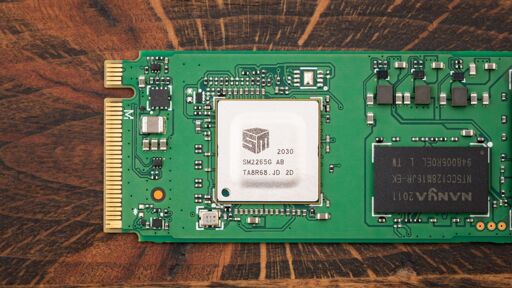
Ah that makes more sense. Seems like something easy to detect at least.
It’s been a while but doesn’t Windows let you know when you exceed RAM usage and hit paging file?
You didn’t hit the page file. This is OPFS, an in-browser filesystem that is sandboxed to each origin (essentially to each website), not directly accessible by the user, and exempt from the security checks that would guard access to the regular filesystem.
Yeah, that sounds to me like it needs a major revision.
but in order for the file to use all available RAM, other processes that still need memory will eventually trigger the out of memory warning… no?
unless I’m completely misunderstanding and OPFS has a set limit of RAM usage before it automatically starts writing to drives.
You seem fixated on the idea that OPFS is some kind of ramdisk. It isn’t. When a website stores a file in OPFS, the browser writes some kind of opaque data structure describing all stored files to disk. That data structure can take whichever shape the browser desires excewpt for just dumping those files in a directory in order to isolate OPFS from the regular filesystem.
You can query the browser for the maximum quota available to you and then just tell it that you want a file that big. Boom, now you own that chunk of the user’s SSD.
As has been pointed out elsewhere, that’s still of dubious value for fingerprinting but I don’t particularly enjoy the thought that random websites can just occupy gigabytes of space on my computer without even asking.
Yeah, I guess I was fundamentally misunderstanding OPFS. I was thinking it was just resident in memory as a process of the browser. What exactly does this line mean, though?
The OS can cache parts of files in RAM to speed up accesses. That cache is called the page cache. If your file is big enough you can fairly reliably access random parts of it and expect the OS to not have cached them no matter how big the page cache is. So each read hits the SSD, allowing you to observe its performance.
Neat. Thank you for the explanation.