I have an HP Envy from several years ago and the BIOS is super locked down so I can’t enable secure boot on it. With my previous HP laptop, I had a ton of trouble getting the WiFi to work
Maybe there’s a way, but I looked all over the settings and internet and even had an AI agent do a search for how to enroll my keys and couldn’t figure it out


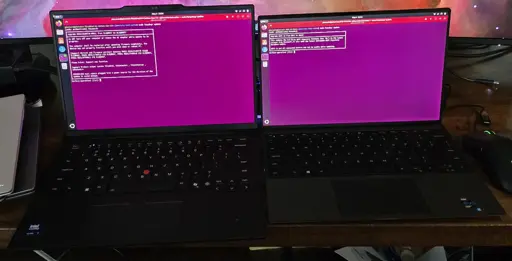
Lenovo and Dell laptops are the best for Linux for some time already. Thinkpads get the spotlight but the Latitudes are no hassle too.
I even have a Latitude running with the Linux-libre kernel 👍
Thinkpads are supposed to be good (never tried), but i have a normal lenovo ideapad, and there’s no firmware update on LVFS…
I had to update the bios using a windows boot disk, and one time it screwed up grub and debian couldnt boot until i fixed it with a liveCD
I must have had 6 thinkpads by now. All have been excellent linux machines.
A costco HP I grabbed in a pinch has been rocking linux without any issues from day one.
I have an HP Envy from several years ago and the BIOS is super locked down so I can’t enable secure boot on it. With my previous HP laptop, I had a ton of trouble getting the WiFi to work
That’s really odd. I have a pavilion of similar age and I enabled secureboot without issue. Old HP and wifi is pain and suffering.
Maybe there’s a way, but I looked all over the settings and internet and even had an AI agent do a search for how to enroll my keys and couldn’t figure it out
Also how old is this envy? Exact guide I followed. I built mine from source as I run Debian on that laptop.
I have an HP pavilion x360 from 2017. https://youtube.com/watch?v=FhJYj57qQCI
Good for you. In my anedocte, Pavillions were a removed to install Linux.