the extra work this will no-doubt create for me might pay the rent for a couple months. but still, i’d rather it be opt-in, not forced upon users or them being tricked into it.
Passkeys are objectively better. They close the phishing attack vector. Depending on the site they remove the need to use a password at all. Different sites do different things.
GitHub: Passkey only
Amazon: Passkey -> SMS/Authenticator 2FA
Google: Password -> Passkey 2FA (one of the options)
That’s after you already have a passkey. I don’t think you can create a passkey without a different form of 2FA. At least…you shouldn’t be able to, because that would kind of defeat the purpose.
I think most people do not like them because the default is to let your OS store them, device locked, in a TPM.
More password managers need to support them. I store all mine in Bitwarden although given what seems to be going on there I don’t think I can recommend them anymore.
a password, and the concept, are also easier to comprehend. passkeys for most is just fairy dust and magic.
another consideration is something you have or something you are are different from something you know. phishing and hackers or scammers are not the only dangers to protect yourself from.
I suspect this is why Microsoft is forcing users into it. Not that I agree with or am defending that decision.
I can’t stand being forced into magic link email logins which are designed to also deal with phishing. Takes longer to login compared to Passwords+TOTP or Passkeys and email isn’t exactly private for the majority.
They aren’t magic. Its the same cryptographic signature primitive seen in applications like PGP or blockchains/cryptocurrencies.
I agree to most users they feel magical and are more difficult to reason about. You still “have” a private key stored on the device, but its invisible to the user, so it’s not something you “know”.
My passkeys are stored on my phone, I just scan a QR code and they’re sent over to the PC for that login. I’ve never seen the default on Windows be anything but this.
Yeah I need to check out vaultwarden. Huge disappointment as its been a great product, but I’m not liking where the recent website changes are heading.


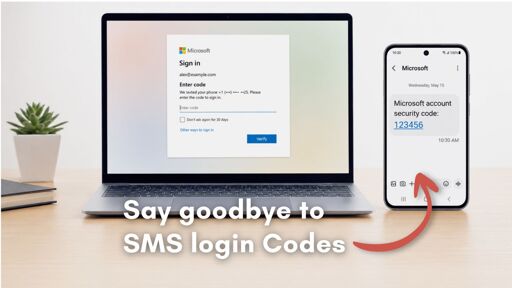
the extra work this will no-doubt create for me might pay the rent for a couple months. but still, i’d rather it be opt-in, not forced upon users or them being tricked into it.
Passkeys are objectively better. They close the phishing attack vector. Depending on the site they remove the need to use a password at all. Different sites do different things.
Not really comparable. Passkeys don’t replace 2FA. You need to bootstrap passkeys with 2FA.
Google allows for them to be used for 2FA.
You can use them for the password also which I didn’t know. You have to choose sign in another way to get the option.
That’s after you already have a passkey. I don’t think you can create a passkey without a different form of 2FA. At least…you shouldn’t be able to, because that would kind of defeat the purpose.
I think most people do not like them because the default is to let your OS store them, device locked, in a TPM.
More password managers need to support them. I store all mine in Bitwarden although given what seems to be going on there I don’t think I can recommend them anymore.
a password, and the concept, are also easier to comprehend. passkeys for most is just fairy dust and magic.
another consideration is something you have or something you are are different from something you know. phishing and hackers or scammers are not the only dangers to protect yourself from.
I suspect this is why Microsoft is forcing users into it. Not that I agree with or am defending that decision.
I can’t stand being forced into magic link email logins which are designed to also deal with phishing. Takes longer to login compared to Passwords+TOTP or Passkeys and email isn’t exactly private for the majority.
They aren’t magic. Its the same cryptographic signature primitive seen in applications like PGP or blockchains/cryptocurrencies.
I agree to most users they feel magical and are more difficult to reason about. You still “have” a private key stored on the device, but its invisible to the user, so it’s not something you “know”.
My passkeys are stored on my phone, I just scan a QR code and they’re sent over to the PC for that login. I’ve never seen the default on Windows be anything but this.
Yeah I need to check out vaultwarden. Huge disappointment as its been a great product, but I’m not liking where the recent website changes are heading.