Its generally pretty easy for me to know what’s slowing down my work laptop.
Microsoft Teams is the hogzilla of resource hogs.
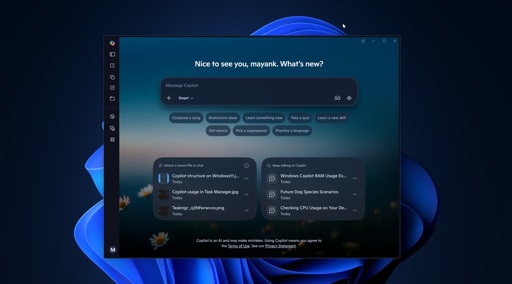
Fun story from my win11 work machine. I’ve de-copiloted it to the best of my ability. Even so, ‘ai.exe’ was always running, consuming more RAM than I was comfortable with, and if I killed it, it would respawn.
I found i can delete the folder it resides in with no ill effect. But a few times a week, a process would recreate it.
System owned the parent folder but for some reason I was unable to revoke its write permissions. So instead, I created a junction so that anything written to the ai folder would instead write to a folder that I had sole ownership of.
This worked, except it ended up causing kernel failures and bootloader issues. Big yikes.
Why not just write a script that re-deletes it every 5 minutes?
I haven’t figured out how do make a script that can delete a directory that needs admin rights. Instead, I created a script that pings the directory once per minute and tosses up a notification if it exists. Then I just go and delete it. It’s good enough for me, since it only happens 2x-3x per week.
Use task scheduler and click the run as administrator option. Also make sure you have the option set to run hidden, or run whether logged in or not.
Thank you! I will give this a try.
I haven’t figured out how do make a script that can delete a directory that needs admin rights.
Yeah … me neither, I guess. I know how to do that on Linux easily enough (doesn’t even need a proper script, just a root cron job), but not sure how on Windows.
everything else aside. please stop with this misunderstanding of ram. unused ram is wasted ram. the OS will give what is available. its good at managing who needs what. the problem ariaes is when an app isnt letting go of ram and taking more. so unless you have an app that needs ram and ia t getting it, its no an issue.
all that aside… i do t think a gig of ram for an ai to analyze your entire pc and running processes is absurd.
unused ram is wasted ram. the OS will give what is available
But RAM used by this ai bullshit will not be listed as ‘available’ to the OS and cannot be used for other things.
Yep, plus, who is running Windows on a machine where 1GB of RAM is precious?
My work laptop has 16GB. It runs the full suite of Microsoft bloat (CoPilot, Teams, Edge, OneDrive) plus various antivirus and work security/monitoring tools constantly. I usually also have Outlook open, ~5 active tabs in Edge (with up to 20 inactive), an RDP session going, Excel, VSCode (often with long running scripts going), OneNote, Notepad++, and either YouTube for music or a teams meeting with video.
I’ve never had to close anything for the sake of performance except when I was installing a big program, doing a deep search through tens of thousands of files using very inefficient PowerShell code, while having all the rest open.
I’m not saying CoPilot using a gig of RAM at rest is OK, I’m just saying it’s not the huge performance impact being implied.
On a machine with only 8 gigs of ram that 1 gig is very useful. 16gb+ not so much, but 8 gigs gives you about 4 gigs of useable ram before windows starts offloading stuff.
Copilot can’t analyze your PC or the data on it. It’s just a fancy web page, that hogs too much resources.
The Copilot app for Windows also supports some additional features not available elsewhere, including:
Windows shortcut key
Wake word ("Hey Copilot")
Copilot Vision
File search
Take a screenshot
View web content
Windows Settings support
Yeah, the RAM isn’t the problem if you have it, it’s the CPU/GPU cycles to do what could be done with simpler tools.