I’ve never implemented a duress password. Ideally the wipe would look like an unrelated glitch and not all “SELF DESTRUCT INITIATED BY DURESS PASSWORD, ACAB MODE ENGAGED”. A duress password should look like it’s about to work, and then the phone says “oops, battery error. Plug me in while I run some diagnostics, tee hee”. Otherwise it’s shit.
yeah, it should log in to a patsy account and start bricking the other profile in the background, then hard power off and restart in a bricked, reflashable state.
Most devices aren’t actually brickable because they can have their bootloader and encryption keys rewritten when plugged into a computer via processes like DFU.
The procedure would be boot, start loading a patsy profile, mash up the stored keys for the volumes encryption and reboot. Or just delete the non-patsy profile.
Having uh, accidentally entered my duress pin a week or so ago I’ll tell you now it works: Enter pin as normal, device starts to unlock, pin pad fades back then the device hangs for a few moments and reboots. Then it rebots to a menu that states the boot image is corrupted and your only option is a factory reset.
Point being is that it looks normal, unless you know what happened it could have been a memory issue and the phone just died. The GOS boot graphics give the game up though, I wish they’d change that especially with more scrutiny every day against devices running it.
That’s good to know, not having looked into it myself. Sorry about your stressful pocket square though, hopefully at least restoring it came with a nice wee break from the stress firehose. Maybe I should get a Graphene phone with duress PIN after all…
I was on travel thousands of km from home, with no backups and all digital tickets. Lessons were learned, but I made it through in the end thanks to some very helpful folks along the way.
Remembering security layers to get my eSIM back was the most challenging step, and once the phone number was back I could recover the rest with ease, worth noting for any with a physical Sim, recovery is much easier, but that applies to the agents who steal your phone too.
My phone started to refuse to charge. By the time I realised, and got it turned off, I was below 10%. I was also supposed to be meeting family in another city the next day.
Between bursts of power on to deal with things like directions to a shop to buy a new phone, I was down to 3% when I got the new one. Just enough to authorise a new phone on my Google account.
Worth noting so long as you have your SIM and can receive text messages, you can recover your google account, and log in with just username and password. Which gets you into all the 2FA stuff if you use google authenticator. One of the lessons I learned there is just how insecure all that is. Even though it made recovery possible for me, it means its not secure at all, and I need to revise my approach and unlink things.
The alternate form of this in drive encryption is having a secondary password that opens a phony drive.
I forget what it’s called, basically you set up a second drive that contains inoccuous, plausible, easily sacrificed data. It makes for a better duress password if people are threatening to cause harm in the event they don’t get it.


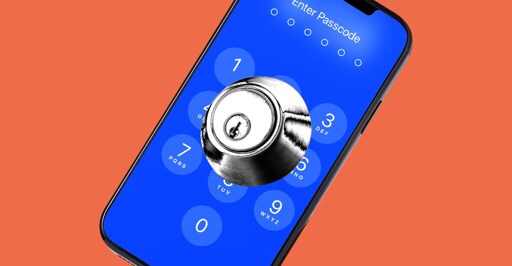
I’ve never implemented a duress password. Ideally the wipe would look like an unrelated glitch and not all “SELF DESTRUCT INITIATED BY DURESS PASSWORD, ACAB MODE ENGAGED”. A duress password should look like it’s about to work, and then the phone says “oops, battery error. Plug me in while I run some diagnostics, tee hee”. Otherwise it’s shit.
yeah, it should log in to a patsy account and start bricking the other profile in the background, then hard power off and restart in a bricked, reflashable state.
Removed by mod
Most devices aren’t actually brickable because they can have their bootloader and encryption keys rewritten when plugged into a computer via processes like DFU.
The procedure would be boot, start loading a patsy profile, mash up the stored keys for the volumes encryption and reboot. Or just delete the non-patsy profile.
Removed by mod
I don’t think you understand how low-level DFU can be. The device can have a wiped emmc and you’d still be able to talk to it and start reflashing it.
There are some devices where the USB firmware and bootloader are in mask rom.
Removed by mod
Having uh, accidentally entered my duress pin a week or so ago I’ll tell you now it works: Enter pin as normal, device starts to unlock, pin pad fades back then the device hangs for a few moments and reboots. Then it rebots to a menu that states the boot image is corrupted and your only option is a factory reset.
Point being is that it looks normal, unless you know what happened it could have been a memory issue and the phone just died. The GOS boot graphics give the game up though, I wish they’d change that especially with more scrutiny every day against devices running it.
That’s good to know, not having looked into it myself. Sorry about your stressful pocket square though, hopefully at least restoring it came with a nice wee break from the stress firehose. Maybe I should get a Graphene phone with duress PIN after all…
I was on travel thousands of km from home, with no backups and all digital tickets. Lessons were learned, but I made it through in the end thanks to some very helpful folks along the way.
Remembering security layers to get my eSIM back was the most challenging step, and once the phone number was back I could recover the rest with ease, worth noting for any with a physical Sim, recovery is much easier, but that applies to the agents who steal your phone too.
I played that game, though not as badly.
My phone started to refuse to charge. By the time I realised, and got it turned off, I was below 10%. I was also supposed to be meeting family in another city the next day.
Between bursts of power on to deal with things like directions to a shop to buy a new phone, I was down to 3% when I got the new one. Just enough to authorise a new phone on my Google account.
I now travel with a spare phone tucked away!
Worth noting so long as you have your SIM and can receive text messages, you can recover your google account, and log in with just username and password. Which gets you into all the 2FA stuff if you use google authenticator. One of the lessons I learned there is just how insecure all that is. Even though it made recovery possible for me, it means its not secure at all, and I need to revise my approach and unlink things.
Reminds me of the “silent alarm” joke from The Simpsons:
https://youtu.be/5L3yniRim80
Removed by mod
The alternate form of this in drive encryption is having a secondary password that opens a phony drive.
I forget what it’s called, basically you set up a second drive that contains inoccuous, plausible, easily sacrificed data. It makes for a better duress password if people are threatening to cause harm in the event they don’t get it.
How does one go about setting that up? It sounds way more practical.